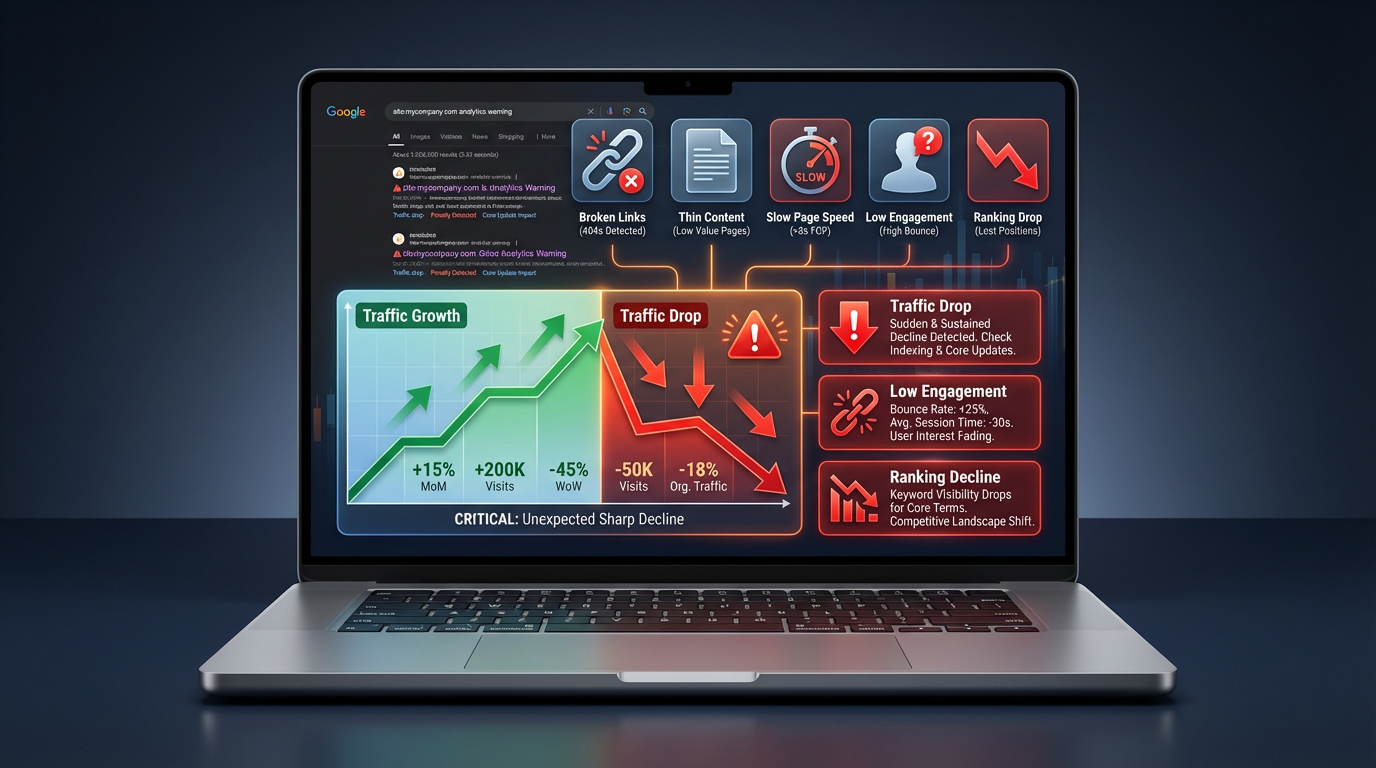
This scares almost every site owner at some point.
You open Analytics, see a fall in clicks or visitors, and your mind goes straight to “penalty” or “Google killed my site.
Most guides stay vague. This one will not.
You’ll see what to check, in which order, and what to do next in plain language.
1. First, confirm that the drop is real
Before you panic, make sure the data is solid.
1.1 Check more than one source
Look at both:
- Google Analytics (or any analytics you use)
- Google Search Console
If both show a drop, the issue is real.
If only one shows a fall, it may be a tracking or setup problem.
1.2 Compare the right dates
Do not compare just “yesterday vs today.”
Look at:
- This week vs last week
- This month vs the previous month
- This period vs the same period last year (to see seasonality)
If traffic is down at least 20–30% and stays low for several days, treat it as a real drop.
2. Find out where the drop is happening
You cannot fix what you do not understand.
Start by locating the damage.
2.1 Check if the drop is site-wide or limited to a few pages
In Search Console:
- Go to Performance → Search Results
- Switch to the Pages tab
- Sort by clicks
- Compare date ranges (before and after the drop)
You will usually see one of these patterns:
- Site-wide drop – almost all pages lost clicks
- Category / section drop – a group of pages lost traffic (for example, blog or product pages)
- Few pages hit – only some URLs lost position
This already tells you a lot:
- Site-wide often points to technical issues, domain-level trust, or a broad Google update
- Section-level often points to content quality or new competitors in that topic
- Few URLs often means those pages are weak or were replaced by better results
2.2 Check country and device
Still in Search Console:
- Use the Countries tab
- Then use the Devices tab
Questions to ask:
- Is traffic down everywhere or only in one country?
- Is it worse on mobile than desktop?
If only one country is hit, it may be:
- Local algorithm changes
- Strong new competitor in that region
- Changes in demand (for example, seasonal service)
If mobile dropped harder than desktop, it may be:
- Mobile layout issues
- Core Web Vitals problems
- Pop-ups or layouts that break on small screens
3. Separate three types of drops
Not every fall in traffic means Google “hates” your site.
There are three main types of drops:
- Ranking loss – you moved down in search results
- CTR loss – your position stayed similar, but fewer people click
- Demand loss – fewer people are searching those keywords at all
3.1 Check if rankings fell
In Search Console:
- Performance → Search Results
- Use the Queries or Pages tab
- Turn on the Average Position metric
- Compare before vs after
If average position got worse, you lost ranking.
3.2 Check if CTR fell
If position stayed similar but CTR dropped, it means:
- Your title and description are not attracting clicks anymore
- Competitors improved their titles
- Google shows more ads or features above you
3.3 Check if impressions fell
If impressions are down, it means:
- Fewer people search these queries now
- Or Google shows fewer of your pages for them
This can happen with trends, seasons, or after a big update that changes which types of pages Google prefers.
Understanding which of these three is happening is the base of a real fix.
4. Rule out technical problems first
Never jump into content changes until you check the basics.
Technical issues can wipe out traffic overnight.
4.1 Check if your site is accessible
- Is the site loading normally?
- Any frequent server errors (5xx)?
- Any major hosting changes in the last days?
4.2 Look for indexing issues
In Search Console:
- Go to Pages → check Not Indexed reasons
- Look for sudden spikes in errors or warnings
Watch for:
- Pages suddenly marked noindex
- Large groups of pages marked as Alternate page with proper canonical tag when they should be main pages
- Pages blocked by robots.txt
4.3 Check recent changes on your side
Ask yourself:
- Did we change themes or builders?
- Did we move from http to https or to a new domain?
- Did we change URL structure or remove categories?
- Did we add any new SEO plugin or major setting?
If the drop started right after a big change, focus there first.
5. Check if a Google update lines up with your drop
Sometimes you do everything right, but Google ships a broad update that reshuffles many results.
You can:
- Look at Google’s Search Status Dashboard
- Check respected SEO news sites or tools for update dates
If your traffic line drops almost exactly on a known update date, it is likely related.
This does not mean a “penalty.”
It usually means:
- Google changed how it judges page quality
- It now prefers a different type of content for those queries
- It trusts other sites more for that topic
The fix is still in your hands: improve quality and usefulness.
6. If rankings fell: improve your pages, not just keywords
Once you know rankings have dropped, avoid the mistake of only stuffing more keywords.
6.1 Study the pages that replaced you
Instead, go deeper.
Search your main keywords in an incognito window.
Look at the pages that now rank above you.
Ask:
- What do they answer that my page does not?
- Are they clearer, more complete, or easier to read?
- Do they cover more real questions from the user?
- Do they show real proof (examples, data, screenshots, case studies)?
Make a simple list of gaps.
Those gaps become your update plan.
6.2 Refresh and improve your content
On the pages that lost ranking:
- Clarify the main purpose of the page
- Add missing sections that answer common questions
- Remove repeated or shallow paragraphs
- Update any old information, screenshots, prices, or steps
- Add simple internal links to related pages on your site
Focus on usefulness, not word count.
Google and users both respond to pages that truly help.
7. If CTR fell: fix your titles and descriptions
If your positions are similar, but clicks are lower, people scroll past your result.
7.1 Write clear, honest titles
Good titles:
- State the main benefit or answer
- Use plain words your audience uses
- Avoid hype or clickbait that does not match the page
7.2 Make your meta description a small promise
Your description should:
- Confirm the main problem you solve
- Mention who the article is for
- Hint at the steps you will walk them through
When your title and description speak directly to the user’s problem, CTR improves and can help recover traffic even without big ranking jumps.
8. If demand fell: widen your topic and catch related searches
Sometimes your main topic loses interest over time or in certain seasons.
Two ways to handle this:
8.1 Cover more related questions
Look in Search Console under Queries for each page.
You’ll often see:
- Long-tail questions
- Variations of your main keyword
- Problem-style queries (“how to fix…”, “why does…”, etc.)
Update your content to:
- Add clear answers to those questions
- Create separate supporting articles where needed
- Link them together
8.2 Target bottom-of-funnel and local intent
If broad information queries fall, focus more on:
- “[service] near me”
- “[service] in [city]”
- “[service] price”, “[service] cost”
- “best [service] for [specific problem]”
These bring fewer visitors but more actual customers.
9. Local sites: do not ignore your Google Business Profile
For many local businesses, a big part of “traffic drop” is actually fewer calls and visits from Maps, not just fewer website sessions.
Check:
- Have you lost positions in the local map pack?
- Did you change your categories recently?
- Are there new strong competitors nearby?
- Did you stop getting reviews?
Simple actions can help:
- Update your primary and secondary categories
- Post new photos and updates
- Ask happy customers for fresh reviews
- Fix address or phone number mismatches across directories
Local signals are strong, and small changes here can bring back a lot of lost leads.
10. Build a simple recovery roadmap (and avoid random actions)
A traffic drop feels chaotic. The cure should not.
Work in this order:
- Confirm the drop
- Find the scope (whole site, section, or few pages)
- Check for technical or indexing issues
- Check if a Google update matches the timing
- Decide whether it is:
- ranking loss
- CTR loss
- demand loss
- Update and improve content on affected pages
- Fix titles and descriptions for better CTR
- Strengthen internal linking and basic authority (good links, reviews, mentions)
- Watch results for a few weeks, then adjust again
This turns a scary traffic drop into a clear set of tasks you can work through.
Closing note
A fall in traffic is not the end of your website.
It is feedback.
Most drops come from a mix of:
- weak or outdated pages
- technical friction
- stronger competitors
- changes in how Google reads quality
When you treat the problem calmly, look at real data, and improve your pages for actual people, you usually see recovery and often end up stronger than before.